How to Optimize Your Logistics Website for Better User Experience?
In today’s digital landscape, having a well-optimized logistics website is crucial. A user-friendly website can make or break client interactions. Users expect quick responses and seamless navigation. Each click should lead them closer to finding what they need. However, many logistics websites still miss the mark.
Some websites are cluttered, making it hard for users to find relevant information. Important details can get buried under unnecessary graphics. This lack of clarity leads to frustration and users leaving the site. Even small loading delays can cause potential clients to abandon their search.
Improving user experience isn’t just about aesthetics; it’s about functionality too. Feedback from users often points out areas for improvement. Regular updates and user-centered designs are key. An optimized logistics website should serve both the business and its clients effectively. Ignoring these aspects could mean losing valuable opportunities.
Understanding the Importance of User Experience in Logistics Websites
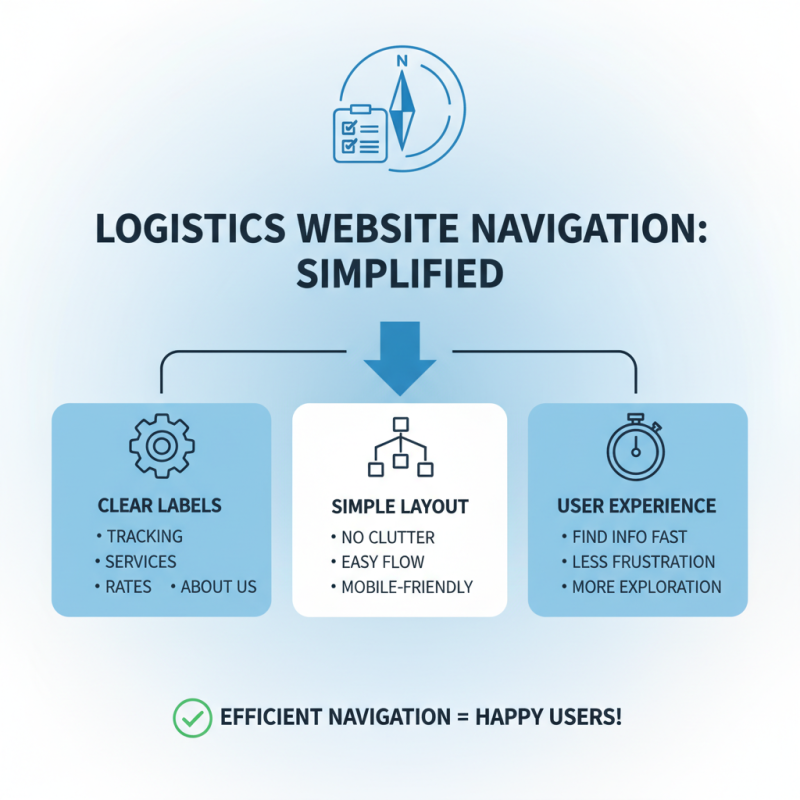
User experience (UX) plays a crucial role in logistics websites. A seamless experience can significantly influence user behavior. Visitors expect quick access to essential information, such as shipping rates or delivery timelines. If they struggle to find these details, they may leave the site and seek alternatives. This highlights the importance of intuitive navigation and clear content.
While many websites prioritize aesthetics, functionality should not be overlooked. Complicated layouts can confuse users. Simplicity often trumps sophistication. Consider how filters and search bars can enhance usability. Users should find what they need without excessive clicks. Yet, many sites fail to facilitate this, leading to frustration.
Feedback is vital in improving UX. Gathering insights from real users can reveal areas needing attention. Often, sites overlook the importance of mobile optimization. Given the rise of mobile browsing, a responsive design is essential. Not addressing this can alienate a significant portion of potential customers. Careful consideration of these elements can foster a better user experience.
How to Optimize Your Logistics Website for Better User Experience?
| Aspect |
Importance Level |
Optimization Techniques |
User Feedback Score (out of 10) |
| Website Speed |
High |
Image compression, Reduce server response time |
8 |
| Mobile Optimization |
High |
Responsive design, Simplified navigation |
9 |
| Navigation |
Medium |
Clear menu labels, Breadcrumbs |
7 |
| Content Clarity |
High |
Use of headings, Bullet points |
9 |
| Contact Information |
Medium |
Prominent display, Multiple contact methods |
7 |
Key Elements of Effective Website Design for Logistics Services
When optimizing your logistics website, user experience is crucial. A clean and intuitive layout can greatly enhance navigation. Simplified menus should guide users to key sections. Each clickable element must be obvious. Bright call-to-action buttons attract attention effectively. Consider the color scheme, as it plays a significant role in users' feelings. Soft, professional tones often work best.
Images and graphics also matter. High-quality visuals can showcase services, but they shouldn't clutter the site. Balance is essential: too many images can confuse users. Content must be concise and informative. Long paragraphs may discourage reading. Shorter text facilitates understanding.
Responsive design is critical, too. With more users accessing sites via mobile, your website must adapt seamlessly. A poorly designed mobile version frustrates visitors. Regularly test different devices for performance. Take note of user feedback to identify problem areas. It's essential to learn from this data to improve continuously.
Utilizing SEO Best Practices for Better Visibility and Accessibility
Creating a logistics website that provides a seamless user experience is crucial.
Focusing on SEO best practices enhances both visibility and accessibility.
When users find your site easily, they are more likely to engage with your content. It’s essential to optimize page titles
and meta descriptions to reflect the services you offer. This small detail helps search engines index your site properly.
Tips: Include keywords relevant to your logistics services.
Use tools to identify these keywords and integrate them naturally into your content. Keep your site’s loading speed in check.
A slow site can frustrate users and lead to high bounce rates. Aim for a loading time under three seconds.
Consider mobile users. Many people access websites from their phones. Ensure your site is mobile-friendly.
This means responsive design and easy navigation. Create clear call-to-action buttons.
They should stand out but not overwhelm the visitor. Users should feel guided, not rushed or confused.
Lastly, regularly update your content. Stale information can deter users.
New blogs, articles, or service descriptions keep your site fresh. Regular updates help with SEO, too. Just remember,
not every change will lead to better results, so analyze what works and what doesn’t.
Incorporating Customer Feedback to Refine User Experience
Incorporating customer feedback into your logistics website design is essential. User experience is directly tied to how visitors interact with your site. According to a recent industry report, only 22% of businesses are satisfied with their conversion rates. This highlights the need for refinements based on real user insights.
Customers often share their frustrations. For instance, slow loading times or complex navigation can deter potential clients. Research shows that a one-second delay in loading can lead to a 7% reduction in conversions. Addressing these concerns is key to improvement. Listening to users helps identify pain points. Avoid overlooking negative feedback; it can be more valuable than positive comments.
Tips: Regularly conduct surveys to gather insights. Use tools like heatmaps to see where users struggle. Engage in A/B testing to refine design elements based on user behavior. Create a feedback loop that encourages users to share their experiences. This will help mold a user-friendly navigation system while minimizing future frustration. Embrace the challenges and iterate continually.
Customer Feedback on Logistics Website User Experience